
The video intercom with nothing to install at the door.
Guests scan a QR code and video-call the resident, who opens the door from the VISon app. VISon connects to your existing access control and doors, so there's no call box to buy, wire or repair.

Scan. Talk. Open.
Guests only need their phone's camera. If the camera won't scan, the code printed on the sign works too.
The guest scans the sign
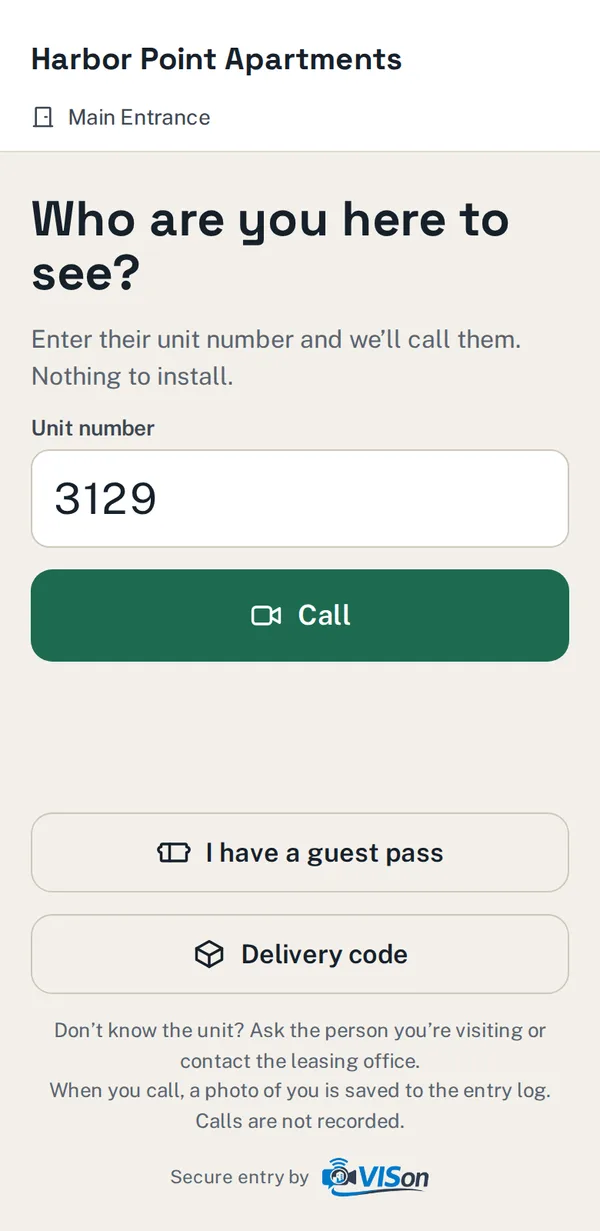
Each entrance has its own QR code, so VISon knows exactly which door they're at. They enter a unit number and tap Call.
The resident answers on video
The VISon app rings with live video of the visitor, so the resident can see who's there before opening.
The door opens
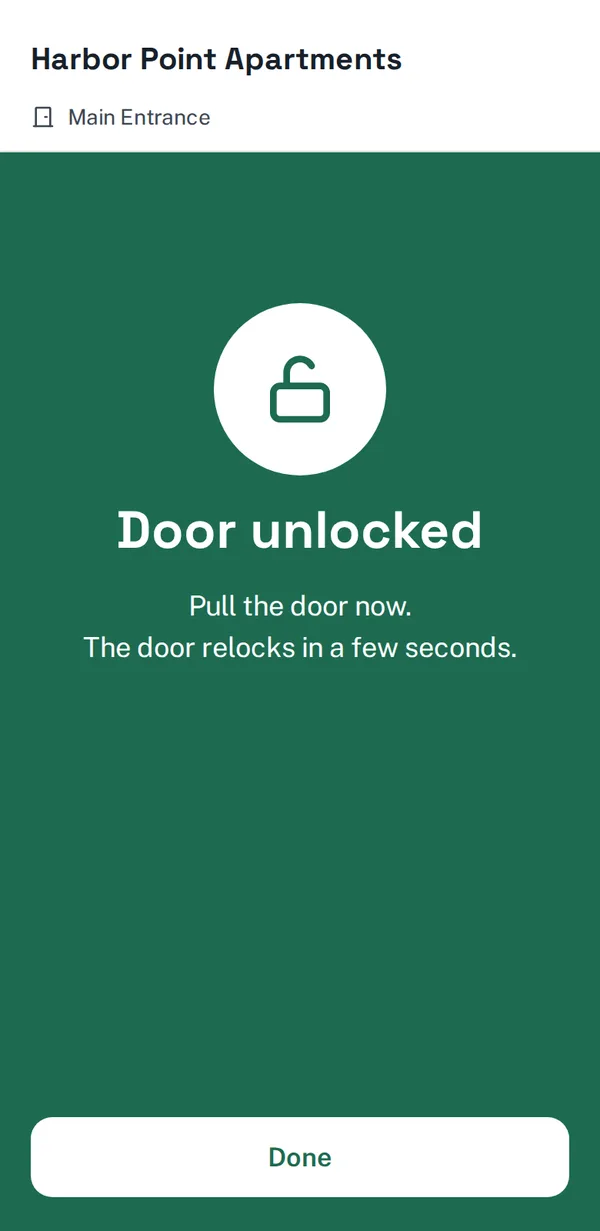
One tap opens that door through your existing door controller. The entry is logged with the resident's name, the door and the time.
Everything a front desk does, without the front desk.
Let family, sitters and dog walkers in on schedule.
Residents send a link for the doors, dates and times they choose. The guest registers once, then scans the sign to get in during that window. There are no shared codes and no buzzing people in every time.
- Limit the number of entries, or leave it open
- Cancel a pass anytime from the app
- You set the longest a pass can last
Packages and takeout, without holding the door.
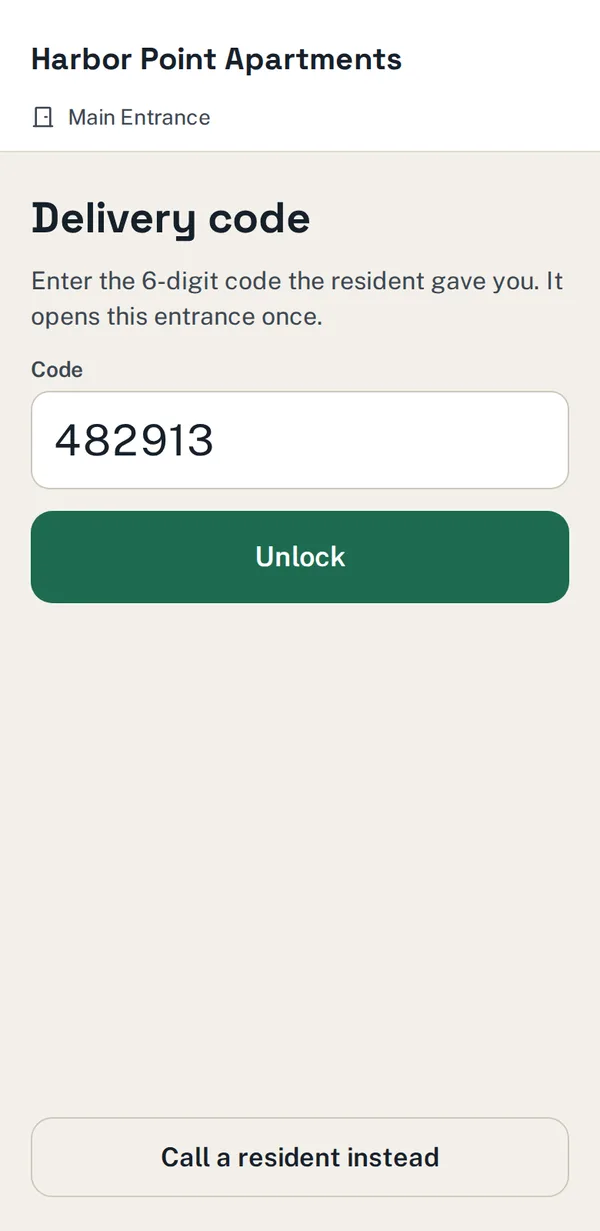
Residents create a 6-digit code for Amazon, UPS, DoorDash or any other service and paste it into the delivery instructions. The driver scans the sign, taps "Delivery code" and gets in once.
- Each code opens the door once, then stops working
- Guessing is locked out after repeated wrong codes
- The log shows which service used it, and for which unit
Codes work at the door, not from someone's couch.
You choose how close guests, drivers and residents must be before a pass, a code or a call works. A photo of the sign shared online won't let anyone in from across town.
- Separate ranges for visitors and residents
- Turn each check on or off in settings
- Every check is recorded in the entry log
Know who let whom in.
Every opening is recorded with the door, the time, how it happened and which resident allowed it. Visitors who call have a photo saved to the log. Calls themselves aren't recorded.
- Shows how each door was opened: call, pass, code or app
- Kept on your property's own server
- Guests search by unit, so names are never shown at the door
Your access control stays in charge. VISon adds the front door.
VISon reads who can open which doors from the access control system you already run. Add, change or remove a resident there and VISon follows on its own, so there's no second resident list to keep in sync.
Your access control server
The source of truth for residents, fobs and door access. VISon only reads from it.
VISon on site
A small service on the same server that checks access and triggers the door. It connects out, so there are no inbound ports to open.
VISon cloud
Connects guests' phones and the resident app for the call. Your resident records stay on your server.
Resident app
Residents sign in with their unit and key fob number, which you already have on file. No phone list to collect.
If the internet goes down, keycards and fobs keep working exactly as they do today. VISon only adds a way in. Product names are trademarks of their respective owners; VISon is an independent product and isn't made, endorsed or certified by any access control manufacturer.
Same job. A lot less hardware.
| Traditional intercom panel | VISon | |
|---|---|---|
| At the entrance | A powered, networked panel with a screen and camera | An engraved sign with your name or logo |
| Resident list | Entered and kept up to date separately | Read from your access control automatically |
| Deliveries | Call a resident, or prop the door open | One-time codes the resident creates |
| Recurring guests | Share a code, or buzz them in every time | Guest passes with set dates and times |
| Vandalism and repairs | Service calls and replacement parts | Nothing at the door to break |
Questions property managers ask
Do guests need to download an app?
No. The QR code opens a web page in the phone's browser. If their camera won't scan, they can go to qr.visonaccess.com and type the code printed on the sign.
Do residents need an app?
Yes, residents use the VISon app to answer calls, open doors and create guest passes and delivery codes. They sign in with their unit number and key fob number, so you don't have to collect phone numbers.
Which access control systems does VISon work with?
Salto ProAccess Space is supported today. VISon is built to connect to other on-premise, server-based systems too; tell us what you run and we'll confirm before you commit. Doors open through a standard input on your existing controller.
What happens if the internet goes down?
Keycards and fobs keep working through your access control system as they always have. Calls and codes resume when the connection comes back.
What do we install at each entrance?
An engraved sign with the entrance's QR code. VISon opens the door through your existing door controller. We confirm the setup on a site visit before anything is ordered.
Are calls recorded?
No. When a visitor calls, a still photo is saved to the entry log so you can see who was let in. The video call itself isn't recorded.
What if a resident moves out?
Remove or block them in your access control system as usual. Their app access, guest passes and delivery codes stop working automatically.
See VISon on one of your doors.
Answer a few quick questions. We'll come back with pricing for your property and a time to walk you through a live call, a guest pass and a delivery code.
- A short callWe confirm your entrances and how residents get in today.
- A system checkWe check your access control and the door inputs VISon will use.
- Your quoteSigns, setup and monthly service, in writing, before anything is ordered.
Prefer email? hello@visonaccess.com